
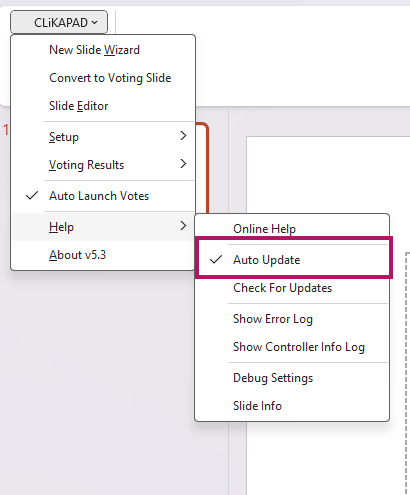
Users can locally turn off auto updates. In PowerPoint, go to Add-ins > CLiKAPAD > Help and then untick Auto Update.
The easiest way to centrally prevent auto updates running is to remove the Update.exe from the ppvote installation folder once installation is complete, a powershell script run from InTune could do this, e.g.
Start-Process "ppvote_setup.exe" -ArgumentList "/s" -WaitRemove-Item "C:\Program Files (x86)\ppvote\Update.exe" -Force