
- Open PowerPoint and go to Add-ins > CLiKAPAD > About vx.x (please note, your version number will be shown after About in the menu. At the time of writing, the option in the menu says About v5.0. However, yours could say a lower number if you are using an older version, or a higher number if you using a more up to date version.
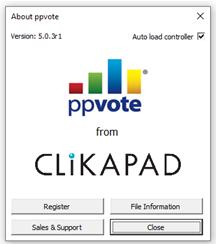
- Click on the button that says Register and you will be shown your current information. If you don't have a licence activated the button at the bottom left will say Retrieve Licence rather than Update Licence. Please go to the Activation instructions by clicking here and then return to here if you need more information.
- https://knowledge.clikapad.com/how-do-i-activate-my-license
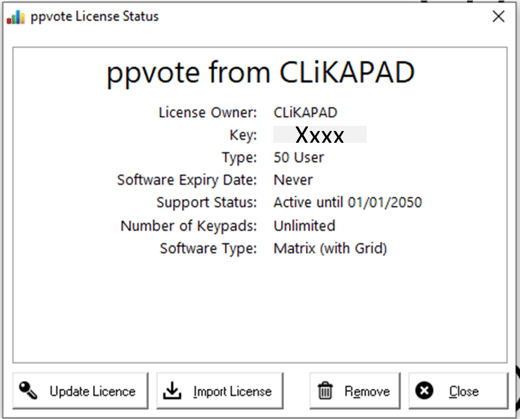
- The Key is your license number. We have obscured our key in these images but yours should be a 10 digit number. It is helpful if you supply this when contacting us for support.
- The license type on this example is for 50 users. This means it can be used on up to 50 computers. If you have a Base license, it can be used on unlimited computers.
- The software expiry date for anyone that owns their license will say Never. If your license shows a date that you think is incorrect, please contact support@clikapad.com.
- The Support Status is when your maintenance agreement expires. For Professional and Matrix software licence owners, after that date you would no longer be able to update your software, so you may wish to contact us for a renewal price. For all users, human support from our team is only available free of charge until that date. This date being in the past will not prevent you from using the software. The software expiry date is the one that would prevent the system from working.
If you suspect that the information shown is incorrect, click on Update Licence. Fill in your email address and licence key and click Online Licence.
To discuss renewing your agreement, or if you believe the information shown in the licence status window is incorrect, contact sales@clikapad.com and please state your license number.